
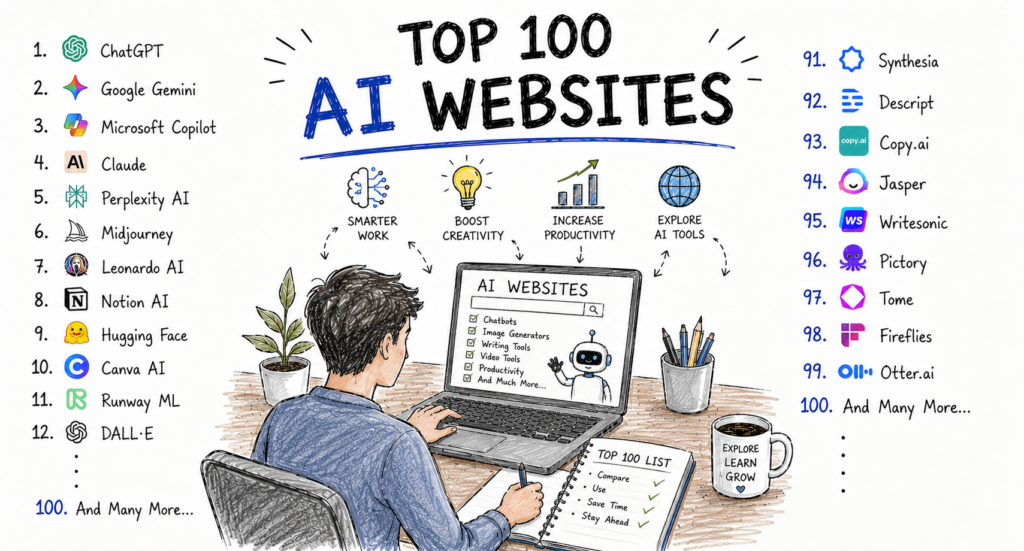
Artificial intelligence has become part of everyday life for millions of Americans. Whether you’re writing emails, creating presentations, designing marketing materials, researching a topic, generating code, editing videos, or analysing business data, there’s an AI website that can help you work more efficiently.
Over the past few years, AI websites have evolved from simple chatbots into complete productivity platforms. Today’s leading AI services can assist with writing, programming, image generation, meeting transcription, workflow automation, customer support, education, and business intelligence.
For professionals, entrepreneurs, students, freelancers, and creators, the challenge is no longer finding an AI website—it’s choosing the right one. Hundreds of platforms are available, each specialising in different tasks and offering a mix of free and paid features.
This guide highlights the Top 100 AI Websites available in 2026, starting with ten of the most trusted and widely used platforms.
How We Chose These AI Websites
Each website in this guide was evaluated based on:
- Overall usefulness
- Ease of use
- AI capabilities
- Reliability
- Security and privacy features
- Integration with other software
- Value of free plans
- Business applications
- Innovation
- Popularity among U.S. users
Whether you’re an individual professional or a growing business, these platforms represent some of the strongest options available today.
1. ChatGPT
Best For
General productivity, writing, brainstorming, coding, learning, and business communication.
ChatGPT has become one of the most widely recognised AI assistants in the world. Professionals use it to draft emails, write reports, generate marketing ideas, analyse data, explain technical concepts, create presentations, and even assist with programming.
Its conversational interface makes it easy for beginners while remaining powerful enough for experienced users. Businesses often use ChatGPT to accelerate content creation, improve customer communication, and support internal knowledge work.
Key Features
- AI conversations
- Writing assistance
- Coding help
- Brainstorming
- Research support
- Document summaries
- Language translation
- Business productivity
Pros
- Easy to use
- Highly versatile
- Free plan available
- Large ecosystem of integrations
Cons
- AI-generated responses should always be reviewed for accuracy.
- Advanced capabilities are available on paid plans.
Best For
- Professionals
- Students
- Entrepreneurs
- Freelancers
- Small businesses
2. Claude
Best For
Long-form writing and document analysis.
Claude is known for producing thoughtful, well-organised responses and handling lengthy documents effectively. It’s particularly useful for analysing reports, summarising policies, refining proposals, and improving professional writing.
Businesses often rely on Claude when working with complex documentation that requires clear structure and context.
Key Features
- Long-document processing
- Writing assistance
- Research support
- Coding help
- Business communication
Pros
- Excellent writing quality
- Strong reasoning capabilities
- Helpful for document review
Cons
- Free usage limits apply.
- Human review is still important for critical work.
3. Google Gemini
Best For
Google Workspace productivity.
Google Gemini integrates with Gmail, Docs, Sheets, Drive, and other Google services, helping users write content, organise information, generate ideas, and improve productivity.
Its close integration with the Google ecosystem makes it particularly attractive for businesses and individuals already relying on Google Workspace.
Key Features
- AI assistant
- Google integration
- Writing support
- Research help
- Image understanding
- Workspace productivity
Pros
- Excellent Google ecosystem integration
- User-friendly interface
- Strong research capabilities
Cons
- Some advanced features require premium access.
4. Microsoft Copilot
Best For
Office productivity and enterprise workflows.
Microsoft Copilot integrates AI directly into Word, Excel, PowerPoint, Outlook, and Teams. It helps users summarise meetings, analyse spreadsheets, draft emails, and create presentations without leaving Microsoft 365.
This makes it particularly valuable for businesses already using Microsoft’s productivity suite.
Key Features
- Word assistance
- Excel analysis
- PowerPoint generation
- Outlook support
- Teams meeting summaries
Pros
- Excellent Microsoft integration
- Strong security
- Enterprise-ready
Cons
- Best experience within the Microsoft ecosystem.
5. Perplexity AI
Best For
AI-powered search and research.
Perplexity AI combines conversational AI with web search to help users explore topics quickly. It often provides references alongside its responses, making it useful for professionals, students, and researchers looking to investigate current information.
Key Features
- AI search
- Research summaries
- Source references
- Follow-up questions
- Real-time information
Pros
- Fast research
- Easy to navigate
- Helpful citations
Cons
- Information should still be verified for important decisions.
6. Grammarly
Best For
Professional writing and editing.
Grammarly assists users with grammar, spelling, clarity, tone, and readability. It integrates with browsers, email platforms, word processors, and many business applications, helping improve written communication across multiple workflows.
Key Features
- Grammar correction
- Tone suggestions
- Writing improvements
- Spell checking
- Browser extension
Pros
- Beginner-friendly
- Saves editing time
- Works across many platforms
Cons
- Advanced rewriting tools require paid plans.
7. Canva
Best For
Graphic design, presentations, and social media.
Canva combines intuitive design tools with AI-powered features that simplify creating presentations, social media graphics, marketing materials, videos, and business documents.
Its template library and collaborative features make it a popular choice for businesses and content creators.
Key Features
- AI-assisted design
- Presentation builder
- Marketing templates
- Image editing
- Video creation
- Brand management
Pros
- Very easy to learn
- Excellent template library
- Strong collaboration features
Cons
- Some premium AI tools are only available on paid plans.
8. Notion
Best For
Knowledge management and project organisation.
Notion combines note-taking, documentation, project management, and AI-powered writing assistance into a flexible workspace. Teams use it to organise internal knowledge, document processes, and manage collaborative projects.
Key Features
- AI writing
- Project management
- Documentation
- Team collaboration
- Knowledge base
Pros
- Highly flexible
- Strong organisational capabilities
- Excellent for collaborative work
Cons
- Advanced workspaces can take time to configure.
9. Poe
Best For
Accessing multiple AI models.
Poe brings several AI models into one interface, allowing users to compare responses and experiment with different assistants without managing multiple accounts.
This flexibility makes it attractive to developers, researchers, and AI enthusiasts.
Key Features
- Multiple AI assistants
- Custom bots
- Fast interface
- Cross-platform access
Pros
- Convenient all-in-one platform
- Easy model comparison
- Free access available
Cons
- Usage limits vary depending on the model.
10. Gamma
Best For
AI-generated presentations and documents.
Gamma helps users transform simple ideas into polished presentations, proposals, and documents. Rather than spending hours designing slides, users can create visually appealing presentations with AI assistance.
Key Features
- Presentation generation
- AI writing
- Collaboration
- Templates
- Interactive documents
Pros
- Saves significant preparation time
- Attractive designs
- Simple interface
Cons
- Some export options require paid plans.