
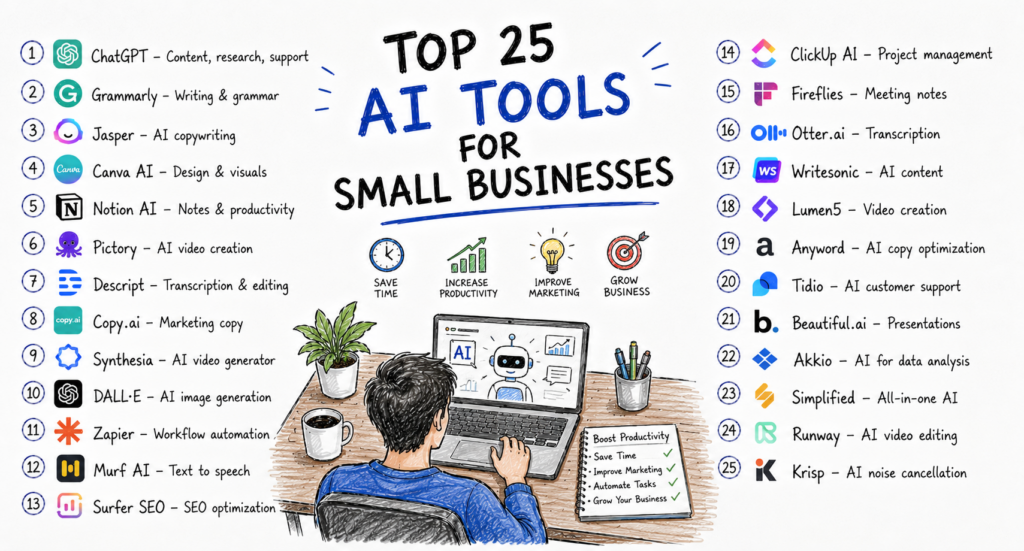
Artificial intelligence is no longer reserved for large enterprises with massive technology budgets. Today, small businesses across the United States are using AI to automate routine work, improve customer experiences, create marketing content, analyze business data, and streamline daily operations.
Whether you’re running an online store, local service business, digital agency, accounting firm, real estate company, restaurant, or startup, AI tools can help reduce manual work and allow your team to focus on higher-value activities.
The biggest advantage for small businesses is efficiency. AI can draft emails, answer customer questions, summarize meetings, create social media content, generate marketing campaigns, automate workflows, and even assist with bookkeeping. Many of these capabilities are available through affordable subscription plans, making AI accessible to businesses of nearly every size.
However, choosing the right AI software can be challenging. Hundreds of tools promise to improve productivity, but only a handful consistently deliver reliable value for small businesses.
This guide reviews the **Top 25 AI Tools for Small Businesses in the USA**, evaluating each platform based on ease of use, business value, features, pricing, integrations, security, customer support, and overall return on investment.
How We Selected These AI Tools
Our recommendations are based on the following criteria:
Ease of implementation
Business productivity improvements
Automation capabilities
AI accuracy and reliability
Integration with popular business software
Scalability
Pricing and overall value
Customer reviews and reputation
Security and privacy features
Popularity among U.S. small businesses
These tools are suitable for companies with just a few employees as well as growing organizations with larger teams.
1. ChatGPT (OpenAI)
Best For
General business productivity, content creation, customer communication, brainstorming, and research.
ChatGPT has become one of the most versatile AI assistants available for businesses. Small business owners use it to write marketing content, respond to customer inquiries, prepare proposals, create training materials, summarize documents, generate ideas, and automate repetitive writing tasks.
Instead of spending hours drafting emails or creating blog content, businesses can generate first drafts within minutes and refine them for their audience. ChatGPT also supports coding assistance, spreadsheet analysis, research, and multilingual communication, making it useful across many departments.
Key Features
AI writing
Email drafting
Business planning
Customer support responses
Research assistance
Document summarization
Brainstorming
Coding support
Data analysis
Pros
Extremely versatile
Easy to learn
Saves significant time
Useful across multiple industries
Cons
AI-generated information should be reviewed for accuracy.
Advanced capabilities require paid plans.
Pricing
Free plan available
Paid plans start from approximately **£20 per month** (pricing may vary by region).
Ideal For
Small businesses
Marketing agencies
Consultants
Retail stores
Startups
Service businesses
2. Microsoft Copilot
Best For
Businesses using Microsoft 365.
Microsoft Copilot integrates AI directly into Word, Excel, PowerPoint, Outlook, and Teams. Instead of switching between different applications, users can generate reports, summarize meetings, analyze spreadsheets, prepare presentations, and draft emails from within their existing Microsoft workflow.
For businesses already invested in Microsoft 365, Copilot can significantly reduce administrative work and improve collaboration while benefiting from enterprise-grade security.
Key Features
Word drafting
Excel analysis
PowerPoint creation
Outlook email assistance
Teams meeting summaries
AI search
Microsoft integration
Pros
Excellent Microsoft integration
Enterprise-grade security
Saves administrative time
Improves collaboration
Cons
Best suited to organizations already using Microsoft 365.
Some advanced features require eligible subscriptions.
Pricing
Available through selected Microsoft 365 and Copilot subscription plans.
Ideal For
Professional services
Accounting firms
* Corporate offices
* Legal firms
* Healthcare practices
—
# 3. Claude
### Best For
Document analysis, report writing, and long-form business content.
Claude is particularly effective for professionals who work with lengthy documents, policies, contracts, proposals, and research. It is known for producing clear, structured responses and handling long conversations while maintaining context.
Small businesses can use Claude to review reports, summarize documents, refine customer communications, and assist with strategic planning.
### Key Features
* Long-document analysis
* Business writing
* Summaries
* Brainstorming
* Research assistance
* Coding support
### Pros
✔ Excellent writing quality
✔ Strong document understanding
✔ Helpful for professional communication
### Cons
* Some advanced capabilities require paid plans.
* Outputs should be reviewed before business use.
### Pricing
Free plan available
Paid subscription available for additional usage and features.
### Ideal For
* Consultants
* HR teams
* Legal professionals
* Business analysts
* Small business owners
—
# 4. Grammarly
### Best For
Professional communication and grammar improvement.
Grammarly helps businesses create clearer, more professional emails, proposals, reports, presentations, and customer communications. Beyond grammar correction, it offers tone suggestions, sentence rewrites, and clarity improvements.
For businesses where written communication directly affects customer relationships, Grammarly can improve consistency and professionalism.
### Key Features
* Grammar correction
* Tone suggestions
* AI rewriting
* Spell checking
* Plagiarism detection (selected plans)
* Browser extension
* Microsoft Office integration
### Pros
✔ Easy to use
✔ Improves writing quality
✔ Works across many applications
✔ Saves editing time
### Cons
* Not intended for generating complete long-form content from scratch.
* Premium features require a subscription.
### Pricing
Free version available
Premium and Business plans available.
Ideal For
Customer support teams
Sales professionals
HR departments
Business owners
Marketing teams
5. Canva AI
Best For
Marketing graphics, social media, and branding.
Canva has become a favourite among U.S. small businesses because it enables users to create professional-looking graphics without advanced design skills. Its AI features help generate images, presentations, marketing materials, social media posts, and branded content quickly.
Businesses can create promotional materials, presentations, flyers, logos, and digital advertisements while maintaining consistent branding.
Key Features
AI image generation
Presentation design
Social media templates
Brand kits
Video editing
Magic Design
AI text generation
Background removal
Pros
Beginner-friendly
Excellent templates
Strong collaboration
Affordable pricing
Cons
Some advanced AI features require paid plans.
Professional designers may require more advanced software.
Pricing
Free plan available
Canva Pro offers additional AI features and design assets.
Ideal For
Retail businesses
Restaurants
Agencies
Real estate
Local businesses
E-commerce stores
6. Notion AI
Best For
Knowledge management and internal documentation.
Notion AI combines project management, documentation, note-taking, and AI writing into a single workspace. Businesses use it to organize internal processes, meeting notes, project plans, SOPs, and company knowledge.
Instead of storing information across multiple platforms, teams can centralize documentation and use AI to summarize meetings, generate content, and improve collaboration.
Key Features
AI writing
Meeting summaries
Documentation
Knowledge management
Team collaboration
Project planning
Search
Pros
Flexible workspace
Excellent documentation
Strong collaboration
AI built directly into workflows
Cons
Learning curve for advanced workspaces.
Full AI capabilities require paid plans.
Pricing
Free workspace available
Paid plans unlock advanced AI and collaboration features.
Ideal For
Startups
Agencies
Marketing teams
Consultants
Remote teams
7. Jasper
Best For
Marketing and content creation.
Jasper is designed for businesses producing blogs, advertising copy, product descriptions, newsletters, and social media campaigns. It helps teams create consistent content while maintaining brand voice.
Key Features
Brand voice
Marketing templates
Blog writing
AI campaigns
Team collaboration SEO support
Pros
Excellent for marketing
Consistent brand messaging
Enterprise-ready
Cons
More expensive than some alternatives.
Primarily focused on marketing use cases.
Pricing
Subscription plans for individuals and businesses.
Ideal For
Marketing agencies, online stores, and content teams.
8. Copy.ai
Best For
Sales and marketing automation.
Copy.ai helps businesses create email campaigns, sales copy, landing pages, social media posts, and product descriptions. It also offers workflow automation features for sales teams.
Key Features
Sales emails
Marketing copy
Product descriptions
Social media
Workflow automation
Pros
Fast content generation
Beginner-friendly
Good marketing templates
Cons
Less suitable for highly technical long-form writing.
Pricing
Free plan available
Paid plans available.
Ideal For
Sales teams
Startups
E-commerce businesses
Marketing agencies
9. Perplexity AI
Best For
Research and information gathering.
Perplexity AI combines conversational AI with web-based research, helping professionals find current information quickly while providing source references. It is useful for market research, competitor analysis, industry trends, and fact-finding.
Key Features
AI-powered search
Source citations
Research summaries
Follow-up questions
Real-time information
Pros
Fast research
Helpful source references
Easy to use
Cons
Research results should still be verified for critical decisions.
Pricing
Free version available
Pro subscription available.
Ideal For
Consultants
Researchers
Marketing professionals
Business owners
10. Otter.ai
Best For
Meeting transcription and note-taking.
Otter.ai automatically records, transcribes, and summarizes meetings. Businesses can capture client discussions, internal meetings, interviews, and brainstorming sessions without relying on manual notes.
Its AI summaries make it easier for teams to review action items and share meeting outcomes.
Key Features
Live transcription
Meeting summaries
Speaker identification
Searchable transcripts
Team collaboration
Pros
Saves note-taking time
Accurate transcription
Excellent for remote teams
Cons
Accuracy may vary depending on audio quality and accents.
Higher usage limits require paid plans.
Pricing
Free plan available
Business subscriptions provide expanded transcription and collaboration features.
Ideal For
Sales teams
Consultants
HR professionals
Remote businesses
Customer success teams