
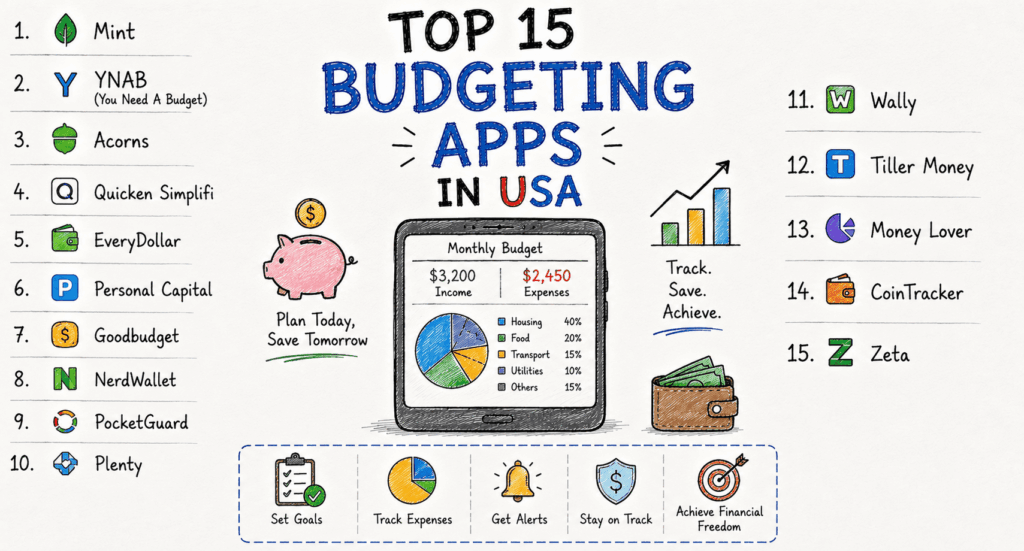
Managing money has never been easier thanks to modern budgeting apps. Whether you’re saving for a home, paying off debt, planning retirement, or simply trying to stop overspending, the right budgeting app can make a significant difference.
Americans are increasingly relying on digital financial tools that connect directly with bank accounts, categorize spending automatically, and provide real-time insights into their finances. Many budgeting apps now include AI-powered recommendations, bill reminders, investment tracking, credit score monitoring, and family budgeting features.
This guide highlights the 15 best budgeting apps in the USA, comparing their strengths, pricing, ideal users, and standout features to help you choose the right solution.
Why Use a Budgeting App?
Traditional spreadsheets still work, but budgeting apps offer advantages that save time and improve financial awareness.
Benefits include:
Automatic transaction tracking
Smart expense categorization
Budget alerts
Savings goals
Debt payoff planning
Investment tracking
Bill reminders
Credit score monitoring
Family budgeting
Financial reports
Instead of manually entering every purchase, these apps synchronize your financial accounts securely and provide a complete picture of your money.
Top 15 Budgeting Apps in USA
1. Monarch Money
Best Overall Budgeting App
Monarch Money has become one of the most comprehensive personal finance platforms available today.
Features
Net worth tracking
Investment monitoring
Shared household budgeting
Goal tracking
Subscription monitoring
Cash flow forecasting
Pros
Beautiful interface
Excellent reporting
Supports couples
Strong investment tracking
Powerful financial dashboard
Cons
Monthly subscription
Premium-focused
Best For:
Families and professionals wanting an all-in-one finance solution.
2. YNAB (You Need A Budget)
Best for Intentional Budgeting
YNAB follows the zero-based budgeting philosophy, encouraging users to assign every dollar a purpose.
Features
Goal planning
Debt payoff tools
Expense tracking
Educational workshops
Real-time syncing
Pros
Excellent money habits
Great customer education
Highly customizable
Cons
Learning curve
Paid subscription
Best For:
People serious about improving financial discipline.
3. Rocket Money
Best for Subscription Management
Rocket Money is well-known for identifying unwanted subscriptions and helping users cancel them.
Features
Subscription tracking
Spending insights
Budget planning
Bill negotiation
Credit monitoring
Pros
Saves money automatically
Easy interface
Strong alerts
Cons
Some premium features require payment
Best For:
Users trying to reduce monthly expenses.
4. EveryDollar
Best for Beginners
Created by Ramsey Solutions, EveryDollar offers a straightforward budgeting experience.
Features
Monthly budgets
Expense tracking
Savings planning
Debt tracking
Pros
Easy setup
Beginner friendly
Clean design
Cons
Limited free version
Best For
First-time budget planners.
5. Empower Personal Dashboard
Best for Wealth Tracking
Previously Personal Capital, Empower combines budgeting with investment analysis.
Features Retirement planner
Investment tracking
Cash flow analysis
Net worth reports
Budgeting
Pros
Free investment tools
Excellent retirement planning
Strong analytics
Cons
Budgeting features aren’t as advanced as competitors
Best For:
Investors and high-income households.
6. PocketGuard
Best for Preventing Overspending
PocketGuard focuses on showing users exactly how much disposable income they have.
Features
Spending analysis
Bills tracking
Savings goals
Debt payoff
Pros
Simple dashboard
Easy budgeting
Smart spending limits
Cons
Premium required for advanced tools
Best For:
People who struggle with overspending.
7. Goodbudget
Best Envelope Budgeting App
Goodbudget digitizes the classic envelope budgeting method.
Features
Envelope budgeting
Family sharing
Debt tracking
Goal planning
Pros
Great for couples
Simple interface
Cons
Manual transaction entry
Best For:
Users who prefer hands-on budgeting.
8. Simplifi by Quicken
Best for Daily Spending
Simplifi offers smart spending plans without requiring complicated budget categories.
Goal tracking
Subscription tracking
Reports
Pros
Modern design
Excellent mobile app
Easy navigation
Cons
Subscription required
Best For:
Busy professionals.
9. Copilot Money
Best Apple Ecosystem Budget App**
Copilot provides intelligent budgeting with AI-powered spending categorization.
Features
AI categorization
Investment tracking
Cash flow
Recurring payments
Pros
Beautiful interface
Smart insights
Cons
Apple-focused
Best For:
iPhone and Mac users.
10. Honeydue
Best for Couples
Honeydue helps couples manage finances together while maintaining flexibility.
Features
Shared budgets
Bill reminders
Expense tracking
Chat functionality
Pros
Free
Great for partners
Joint budgeting
Cons
Limited investment features
Best For:
Couples managing shared expenses.
11. NerdWallet Budget Tracker
Best Free Financial Dashboard
NerdWallet combines budgeting with credit score tracking.
Features
Credit monitoring
Spending reports
Net worth
Budget insights
Pros
Free
Excellent credit tools
Cons
Budgeting tools are relatively basic
Best For:
People wanting budgeting and credit monitoring in one app.
12. Fudget
Best Simple Budget App
Fudget eliminates complexity by allowing users to create simple income and expense lists.
Features
Manual budgeting
Expense tracking
Offline access
Pros
Lightweight
Easy to learn
Cons
Few automation features
Best For:
Minimalists.
13. Dollarbird
Best Calendar Budgeting
Dollarbird organizes expenses on a calendar instead of traditional categories.
Features
Calendar budgeting
Income planning
Future expense forecasting
Pros
Unique interface
Great planning tools
Cons
Manual input
Best For:
Freelancers and planners.
14. Spendee
Best Visual Budget App
Spendee emphasizes colorful charts and visual reports.
Features
Budget categories
Shared wallets
Bank syncing
Spending analytics
Pros
Attractive reports
Easy navigation
Cons
Some premium limitations
Best For:
Visual learners.
15. Emma
Best for Financial Health Monitoring
Emma provides budgeting alongside subscription management and spending insights.
Features
Budget planning
Subscription tracking
Debt management
Cash flow reports
Pros
Modern interface
Smart alerts
Strong analytics
Cons
Premium subscription for advanced features
Best For:
Users wanting detailed financial insights.
Features to Look for in a Budgeting App
Before choosing an app, consider these essential features:
Automatic bank synchronization
Real-time transaction updates
Savings goal tracking
Bill reminders
Subscription management
Debt payoff calculators
Investment monitoring
Credit score integration
Custom budget categories
Multi-device synchronization
Family or shared budgeting
Bank-grade encryption and multi-factor authentication
Free vs. Paid Budgeting Apps
Free Apps
Pros:
No monthly cost
Basic budgeting
Expense tracking
Spending reports
Cons:
Limited customization
Fewer financial planning tools
Ads or premium upsells