
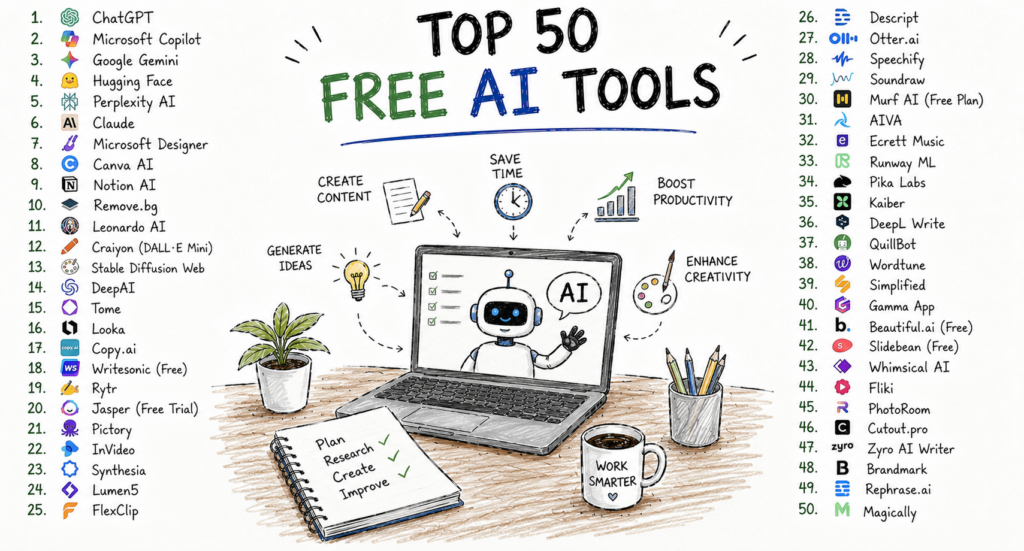
Artificial intelligence has become one of the most valuable technologies for improving productivity at work and in everyday life. What once required expensive enterprise software is now available to anyone with an internet connection. Students, freelancers, entrepreneurs, marketers, developers, designers, and business professionals across the United States are using free AI tools to write content, automate repetitive work, create graphics, analyse information, build presentations, and solve complex problems.
One of the biggest advantages of today’s AI ecosystem is accessibility. Many leading platforms offer generous free plans that allow users to explore AI capabilities before committing to a paid subscription. For individuals and small businesses, these free tools can significantly reduce costs while improving efficiency.
However, not every AI tool delivers the same value. Some excel at writing, others specialise in coding, research, image generation, video editing, presentations, or workflow automation. Choosing the right combination depends on your goals and daily tasks.
This guide reviews the Top 50 Free AI Tools available in 2026, focusing on tools that offer meaningful free functionality and practical value for professionals, students, creators, and businesses in the United States.
How We Selected These AI Tools
Every tool included in this guide was evaluated using several important criteria:
Quality of the free plan
Ease of use
AI capabilities
Accuracy and reliability
Productivity benefits
Security and privacy
Integrations
Customer satisfaction
Business and personal use cases
Overall value
The tools are organised into categories to help you quickly identify the best options for your needs.
1. ChatGPT
Best For
General productivity, writing, brainstorming, coding, research, and business communication.
ChatGPT has become one of the most widely used AI assistants in the world. Its free version enables users to draft emails, write articles, summarise documents, generate ideas, explain complex topics, assist with coding, and answer questions across countless subjects.
Professionals use it to prepare reports, marketers create campaign ideas, students receive study support, and entrepreneurs develop business plans. Because of its versatility, ChatGPT is often the first AI tool people adopt.
Key Features
AI conversations
Writing assistance Coding support
Brainstorming
Research help
Translation
Document summaries
Productivity assistance
Pros
Excellent all-purpose AI assistant
Free plan available
Easy for beginners
Supports many professional tasks
Cons
Usage limits on the free plan
Important information should always be verified
Best For
Professionals
Students
Small businesses
Freelancers
Content creators
2. Claude
Best For
Long-form writing and document analysis.
Claude is known for producing thoughtful, well-structured responses. It performs particularly well when working with lengthy reports, policies, contracts, research papers, and strategic planning documents.
Many professionals use Claude to edit reports, improve writing clarity, summarise complex material, and organise ideas.
Key Features
Long-document analysis
AI writing
Research assistance
Business communication
Coding help
Pros
Excellent writing quality
Strong reasoning
Helpful document summaries
Cons
Free usage has limits
Responses still require human review
3. Google Gemini
Best For
Google Workspace users and web-based productivity.
Google Gemini integrates with Google’s ecosystem, helping users draft emails, generate ideas, organise documents, and support research. For businesses already using Gmail, Docs, Drive, and other Google services, Gemini provides a familiar AI experience.
Key Features
AI chat
Google integration
Document assistance
Research support
Writing help
Image understanding
Pros
Works well with Google services
Easy to access
Strong research capabilities
Cons
Some advanced features require paid plans
4. Microsoft Copilot
Best For
Office productivity.
Microsoft Copilot brings AI into Word, Excel, Outlook, PowerPoint, and Teams. It helps create presentations, summarise emails, analyse spreadsheets, and improve workplace productivity.
The free experience varies depending on Microsoft’s products and services, but many users can access AI assistance without an additional cost.
Key Features
Office productivity
Email drafting
Spreadsheet analysis
Presentation creation
AI search
Pros
Excellent Microsoft integration
Familiar interface
Good business productivity
Cons
Best experience for Microsoft users
5. Perplexity AI
Best For
Research and fact-finding.
Perplexity AI combines conversational AI with search capabilities, making it particularly useful for finding up-to-date information and exploring topics from multiple sources.
Instead of simply providing an answer, it often includes references that help users continue their research.
Key Features
AI search
Source citations
Research summaries
Follow-up questions
Fast information retrieval
Pros
Excellent research assistant
Easy to use
Helpful references
Cons
Critical information should still be independently verified
6. Grammarly
Best For
Professional writing.
Grammarly helps users improve grammar, spelling, punctuation, tone, and readability. The free version is sufficient for many everyday writing tasks, including emails, blog posts, reports, and assignments.
Key Features
Grammar checking
Spell checking
Tone suggestions
Writing improvements
Browser extension
Pros
Very easy to use
Saves editing time
Works across many websites
Cons
Premium features require a subscription
7. Canva AI
Best For
Graphic design and marketing.
Canva offers several AI-powered features that simplify graphic design. Users can create presentations, social media posts, marketing materials, posters, videos, and promotional graphics without advanced design experience.
The free plan includes access to many templates and selected AI capabilities.
Key Features
AI image generation
Presentation builder
Social media templates
Magic Design
Background removal
Video editing
Pros
Beginner-friendly
Excellent templates
Strong free version
Cons
Some premium AI features require Canva Pro
8. Notion AI
Best For
Knowledge management and productivity.
Notion combines note-taking, documentation, project management, and AI assistance into one workspace. Teams and individuals use it to organise projects, create documentation, summarise meetings, and manage company knowledge.
Key Features
AI writing
Meeting summaries
Project planning
Documentation
Knowledge base
Pros
Excellent organisation
Strong collaboration
Flexible workspace
Cons
Learning curve for advanced features
9. Poe
Best For
Accessing multiple AI models in one place.
Poe allows users to interact with different AI assistants through a single interface. Depending on availability, users can compare responses from various models and choose the one that best fits their needs.
Key Features
Multiple AI models
AI chat
Custom bots
Fast interface
Cross-platform access
Pros
Convenient all-in-one platform
Easy model comparison
Free access available
Cons
Usage limits apply on the free tier
10. Gamma
Best For
AI-powered presentations and documents.
Gamma helps users quickly create visually appealing presentations, reports, proposals, and web-style documents using AI. Instead of building slides manually, users can generate polished presentations from simple prompts.
Key Features
AI presentation creation
Document generation
Templates
Collaboration
Modern layouts
Pros
Saves significant presentation time
Attractive designs
Beginner-friendly